Exporting Data
Exporting Study
In addition to browsing, exploring, and visualizing studies, you can also export full datasets.
Export data functionality is presented both in Study Browser and Metadata Editor:
-
Study Browser:
- In Study Browser window you can access Export data button from the three dots menu to the left from your Study name.
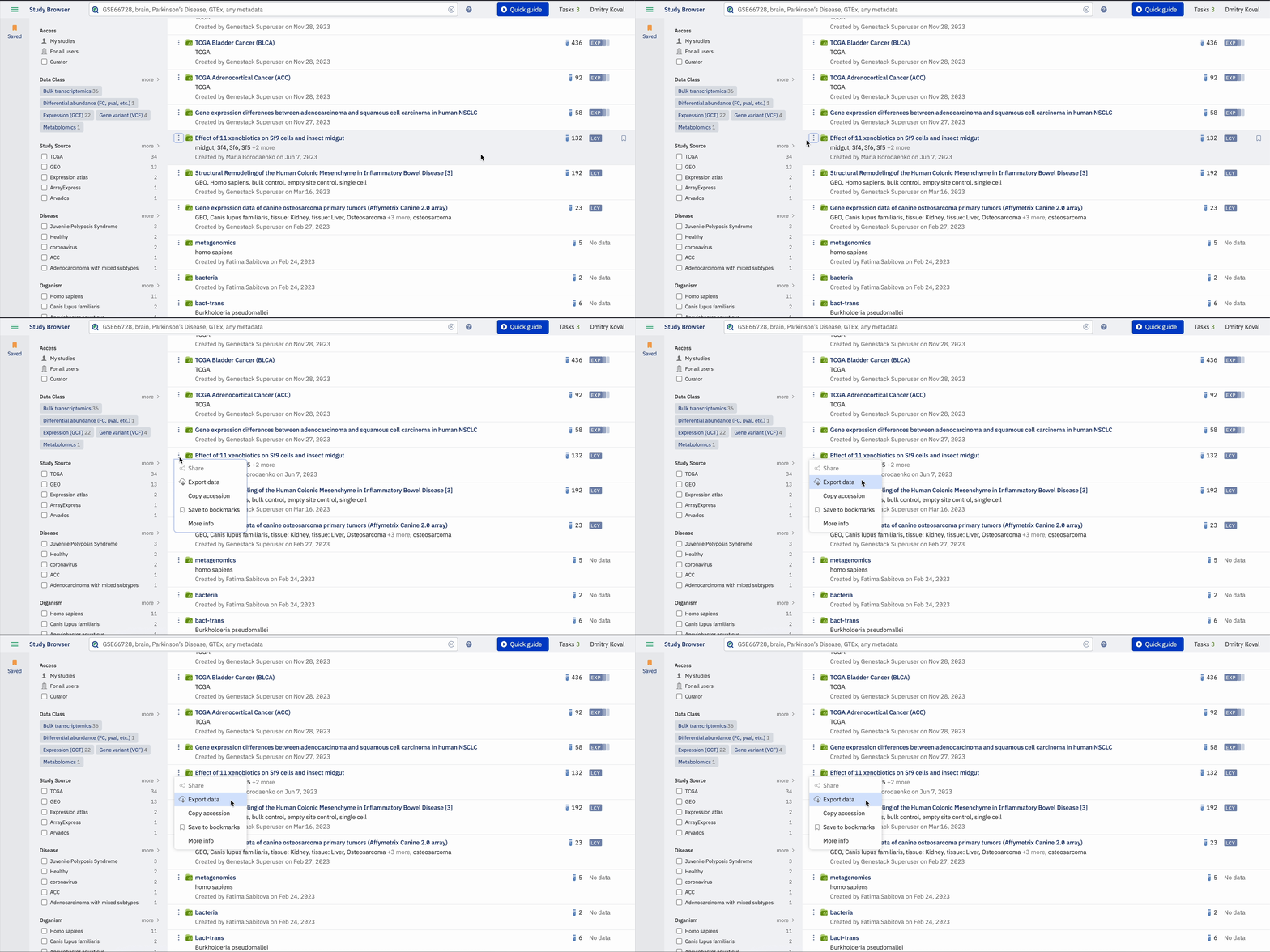
Export the data by clicking on the Export data option in Study Browser -
Metadata Editor:
- In your study window click on the Export button. The Export button can be accessed from the right side of the window or by clicking on the study title, which will reveal a dropdown menu with the option to export data. The menu can also be accessed by clicking on the three dots next to the option Export on the right side of the screen.
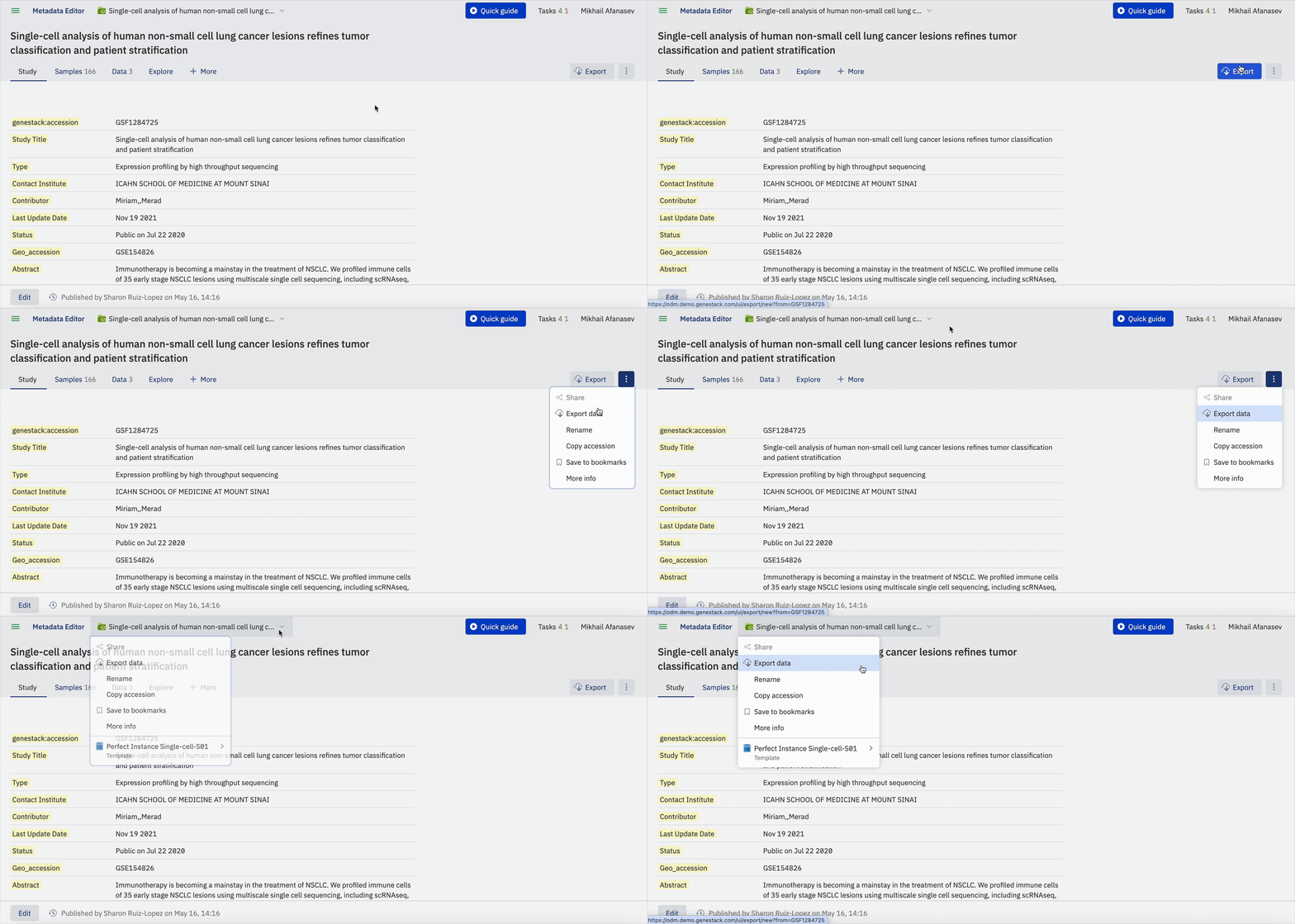
Export the data by clicking on the Export data option in Metadata Editor
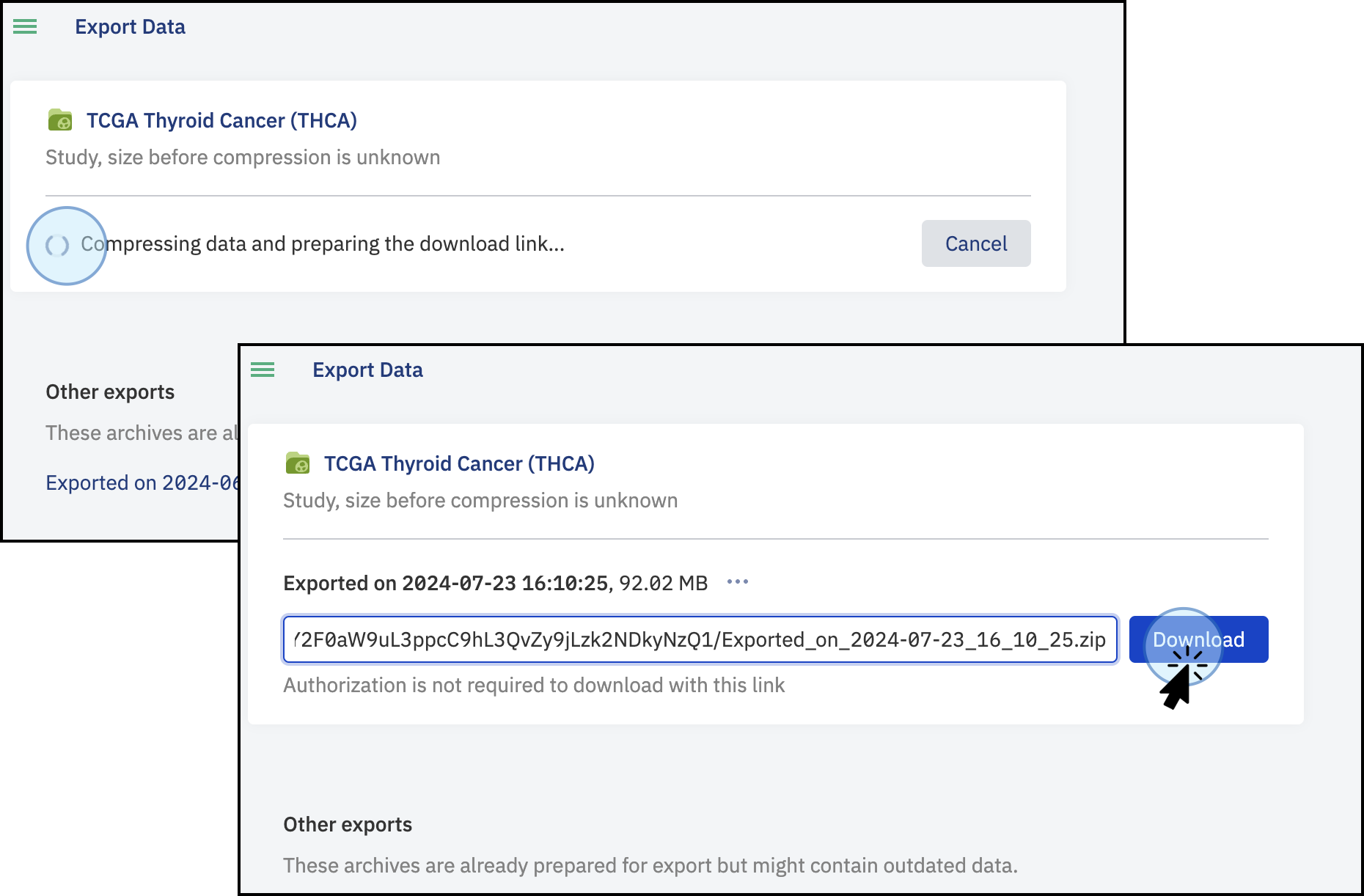
Clicking the Export data button will open a new window where all the files associated with the study will be compressed.
- Once the files are compressed, the download button will be active and the files can be downloaded to your local computer.
- The link is pre-authenticated so anyone with the link will be able to download the Study and associated data.
- Previous export links that have been generated will be listed at the bottom of the screen. These are archive versions and will reflect the data at the time the link was generated, not necessarily the latest version.
Understanding the Downloaded Contents
-
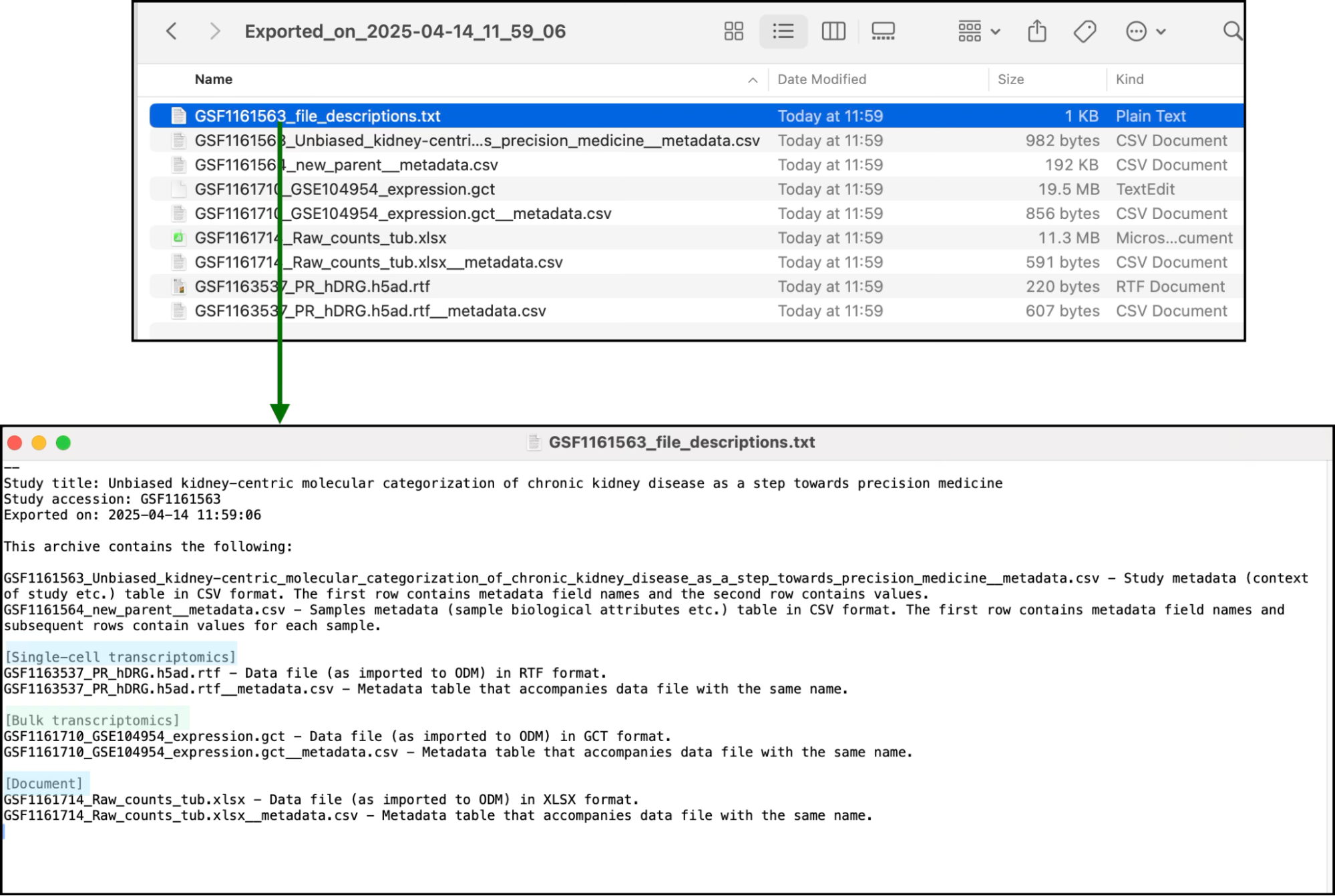
The downloaded folder will contain all the linked and attached files related to the specific study.
-
Additionally, a text file named file_descriptions (in a plain text format) will be included, summarizing the information of the downloaded files.
Exporting a Specific Dataset
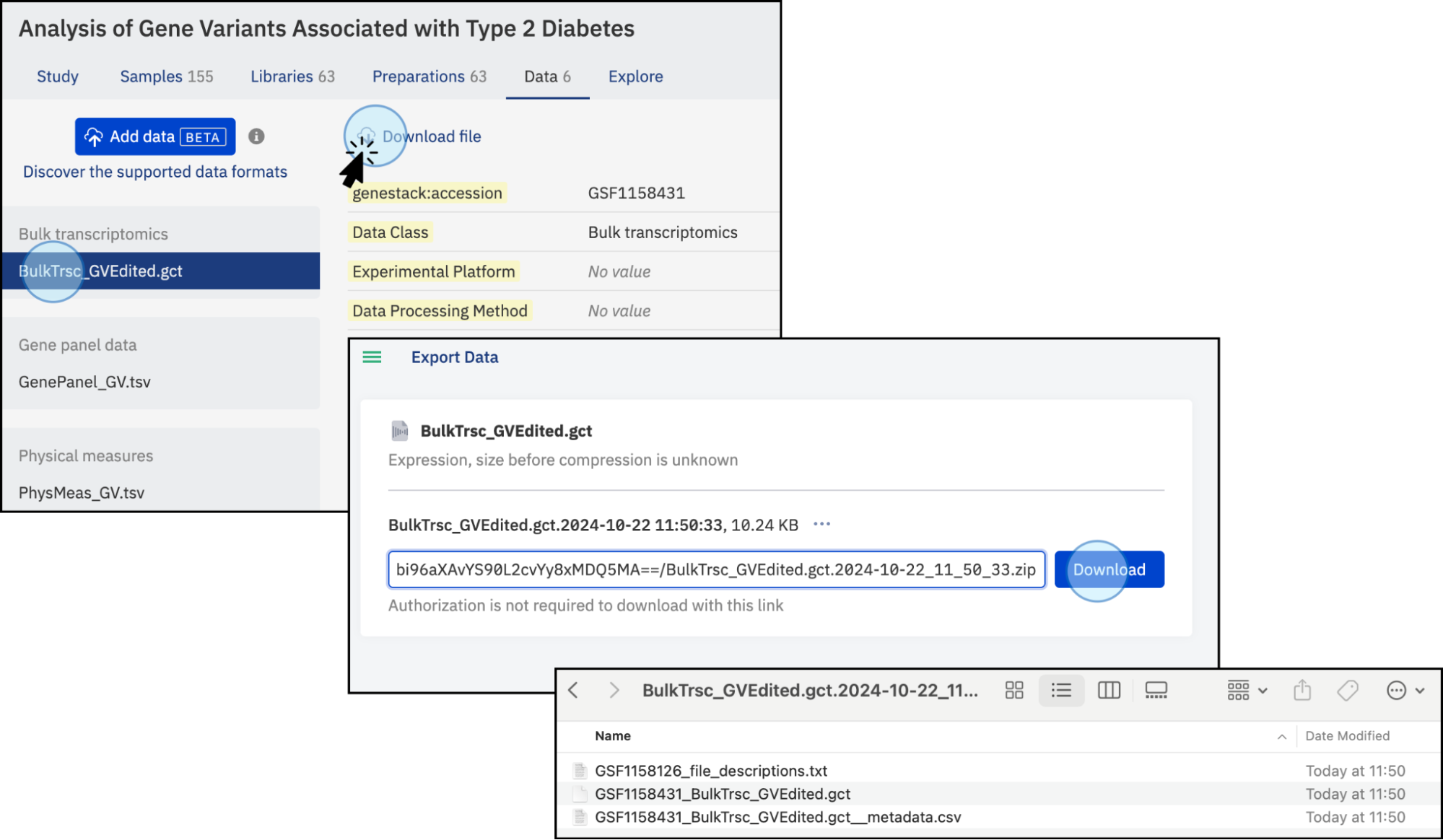
- You can export a specific dataset of interest, but this functionality is only available from the Data tab. To do this, navigate to the Data tab containing the desired analysis and click the Download file button. Please note that it is not currently possible to export only sample metadata or study metadata separately.
- The dataset, along with its corresponding metadata and description, will be compressed into an archive and made available via a download link.